CASE STUDIES

See how others use AiKey

Four real-world scenarios that map your pain to a concrete AiKey solution — see exactly what AiKey unblocks in a working developer flow.

CASE 01 · COST DRILLDOWN

Trace every dollar to a specific session

Open the OpenAI or Anthropic dashboard at month-end and you see one number — where did it go? Which tool? Which session? What was the cache hit rate? AiKey turns the bill from "one monthly total" into "real-time receipts plus multi-dimension drill-down boards".

Cost receipt printed in terminal after a Claude session
Per-session cost receipt — Token / Model / Est $ at a glance
Goal

End the month-end mystery — know exactly which tool, provider and task ate the budget.

Pain

Provider consoles only show a monthly total. No per-session breakdown, no cache hit visibility, nothing to optimize against.

AiKey solution

Auto-printed cost receipt at session end; web console drills down by day → Top N sessions → cache hit rate per key/model; VK + tool-level attribution.
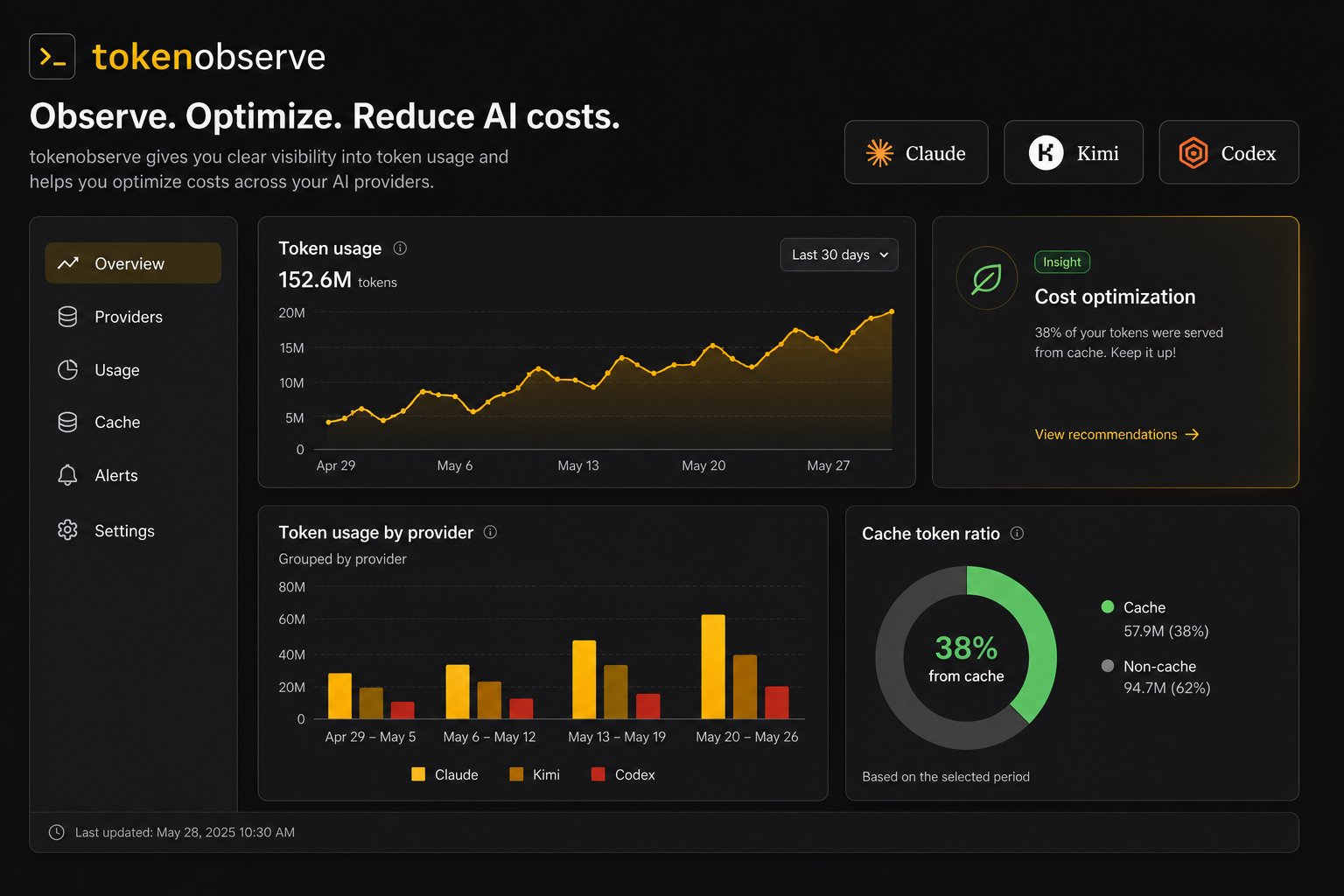
AiKey usage aggregate dashboard — provider / model / time / cache hit% breakdown
aikey web usage — aggregate board: provider · model · time · cache share
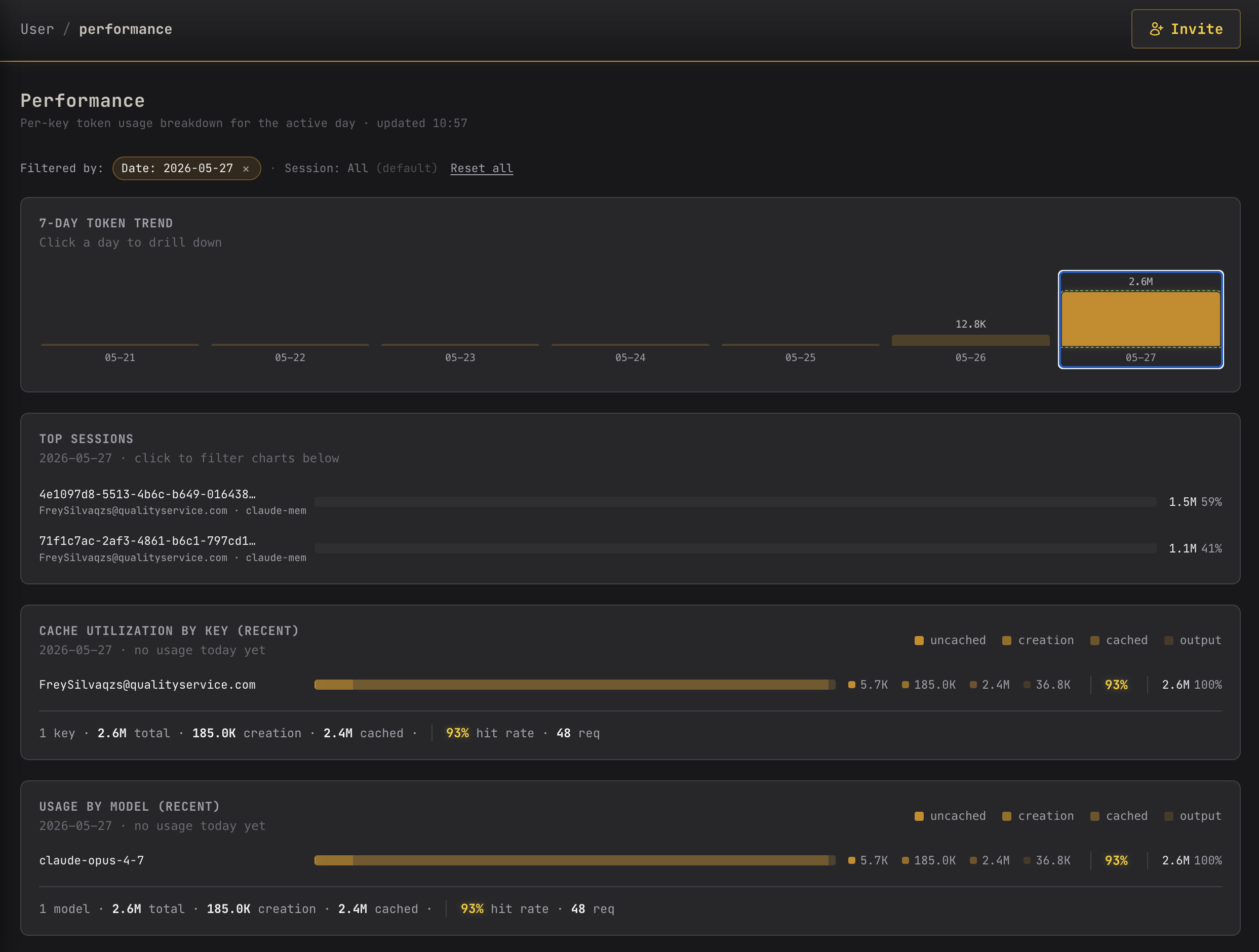
Performance dashboard — 7-day trend with click-to-drill-down, Top N sessions, cache utilization per key/model
aikey web performance — 7-day trend · click a day → Top N sessions · each session shows cache utilization
L1

7-day trend

click a day to drill

L2

Top N sessions

click to filter below

L3

Cache hit rate

by key / model

Outcome

Every dollar is traceable to a specific session. With cache utilization visible, you can optimize prompts to lower cost. Monthly reports group themselves by dimension — no more last-minute reconciliation.
Read the personal docs
CASE 02 · MULTI-IDE INTEGRATION

One Vault, all of Claude Code, Cursor, OpenCode

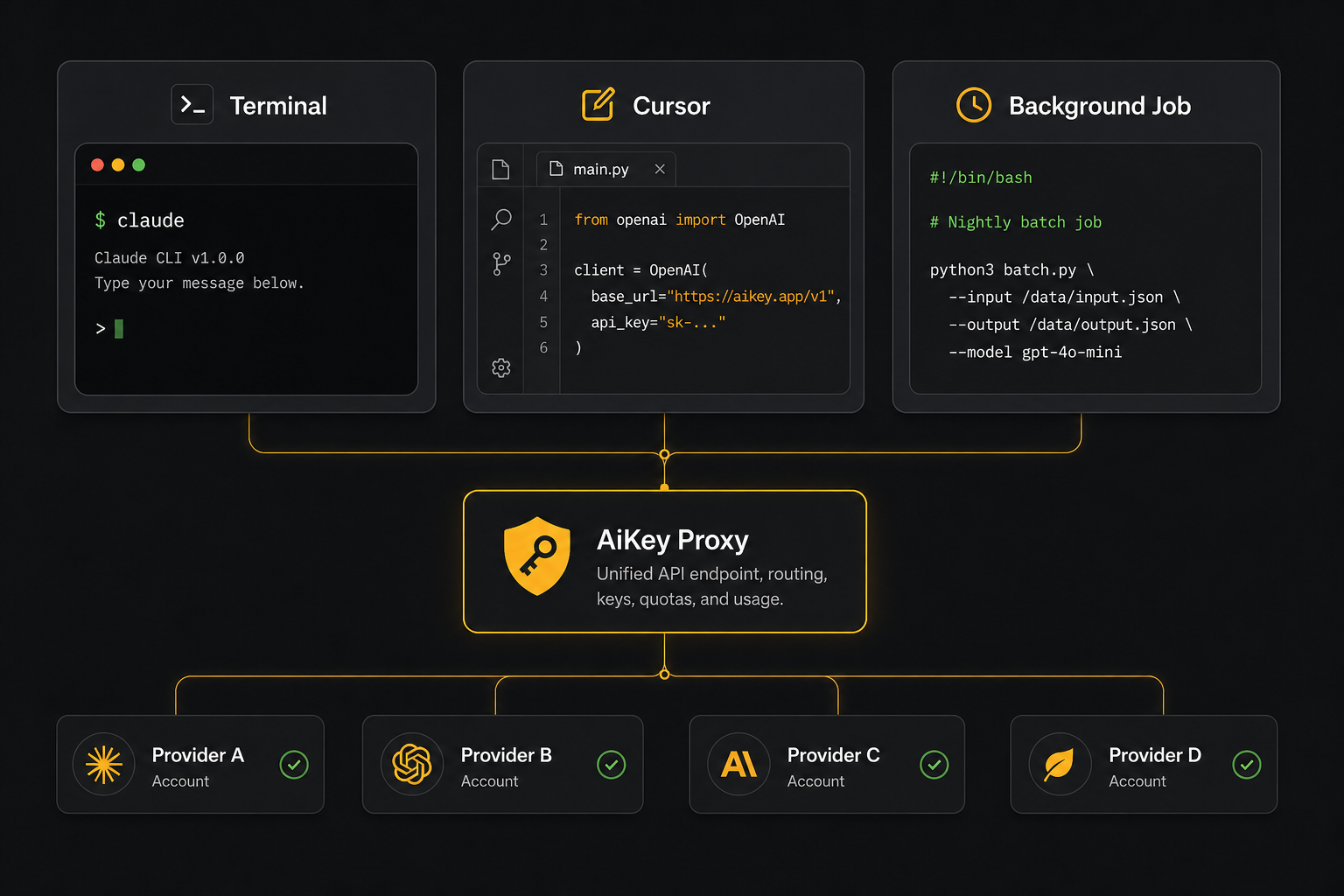
Most AI-assisted developers juggle 3-5 tools at once — Claude Code running long tasks, Cursor on edits, OpenCode for model exploration. Maintaining keys and provider configs separately in every tool is a nightmare. AiKey lets real credentials live in one Vault and every tool follows transparently.

Multiple AI workflows sharing one AiKey Vault
Multiple workflows sharing one Vault
Goal

Switch provider seamlessly across Claude Code / Cursor / OpenCode without touching each tool's config.

Pain

Every tool needs its own API key / account pasted in. Switching provider means editing env vars in each one. Keys scattered, rotation is hell.

AiKey solution

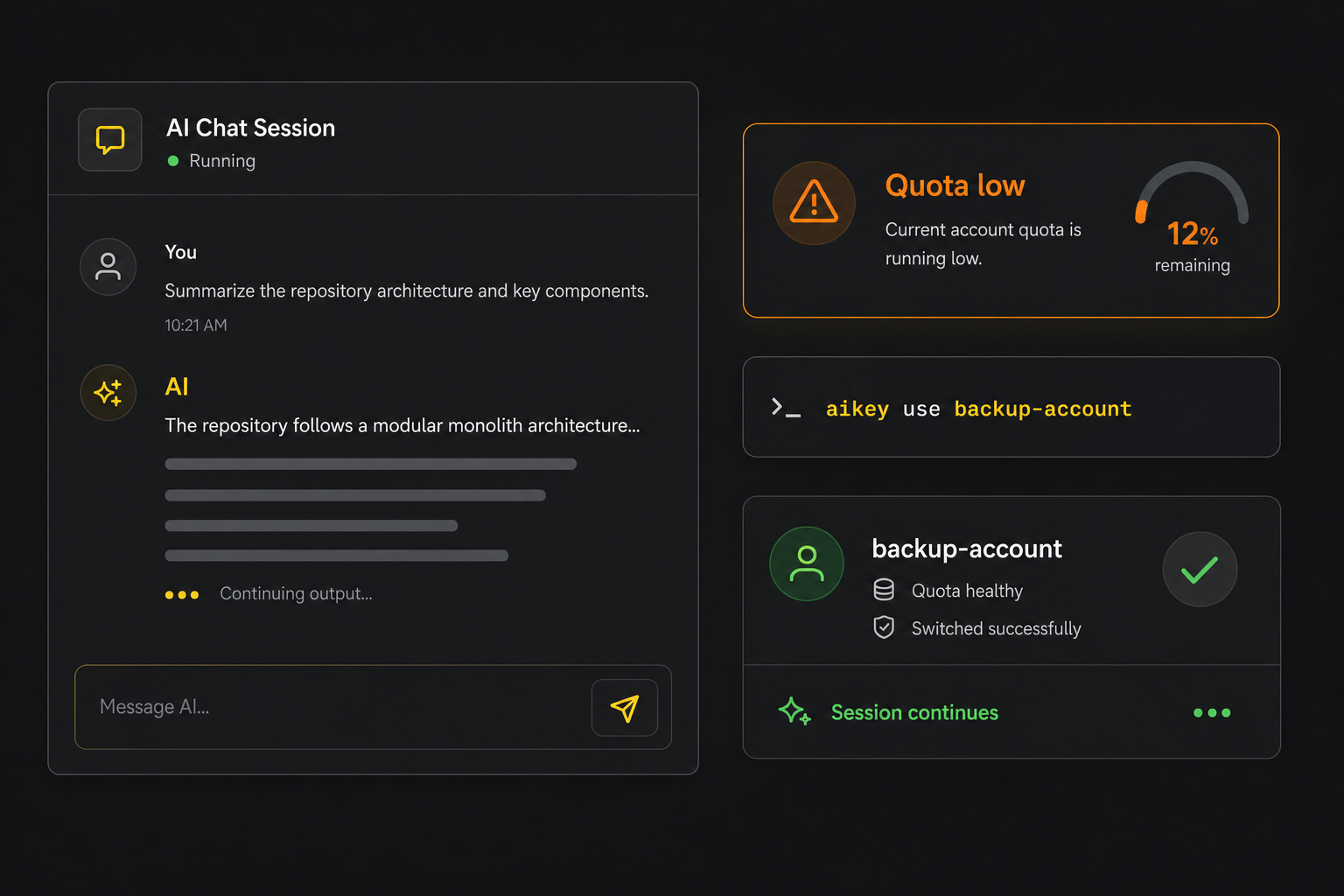
Credentials live only in AiKey Vault; aikey use claude-main switches globally and every tool follows; new tools just point at the AiKey local endpoint.

One-line provider switch via aikey use
aikey use — global switch, takes effect on the next request across every tool
Outcome

Switching provider = one command; keys no longer scatter; onboarding a new tool has zero extra configuration cost.

Read about "Route Token + third-party client config"
CASE 03 · THIRD-PARTY AGENT

Third-party agents with isolated tokens and observability

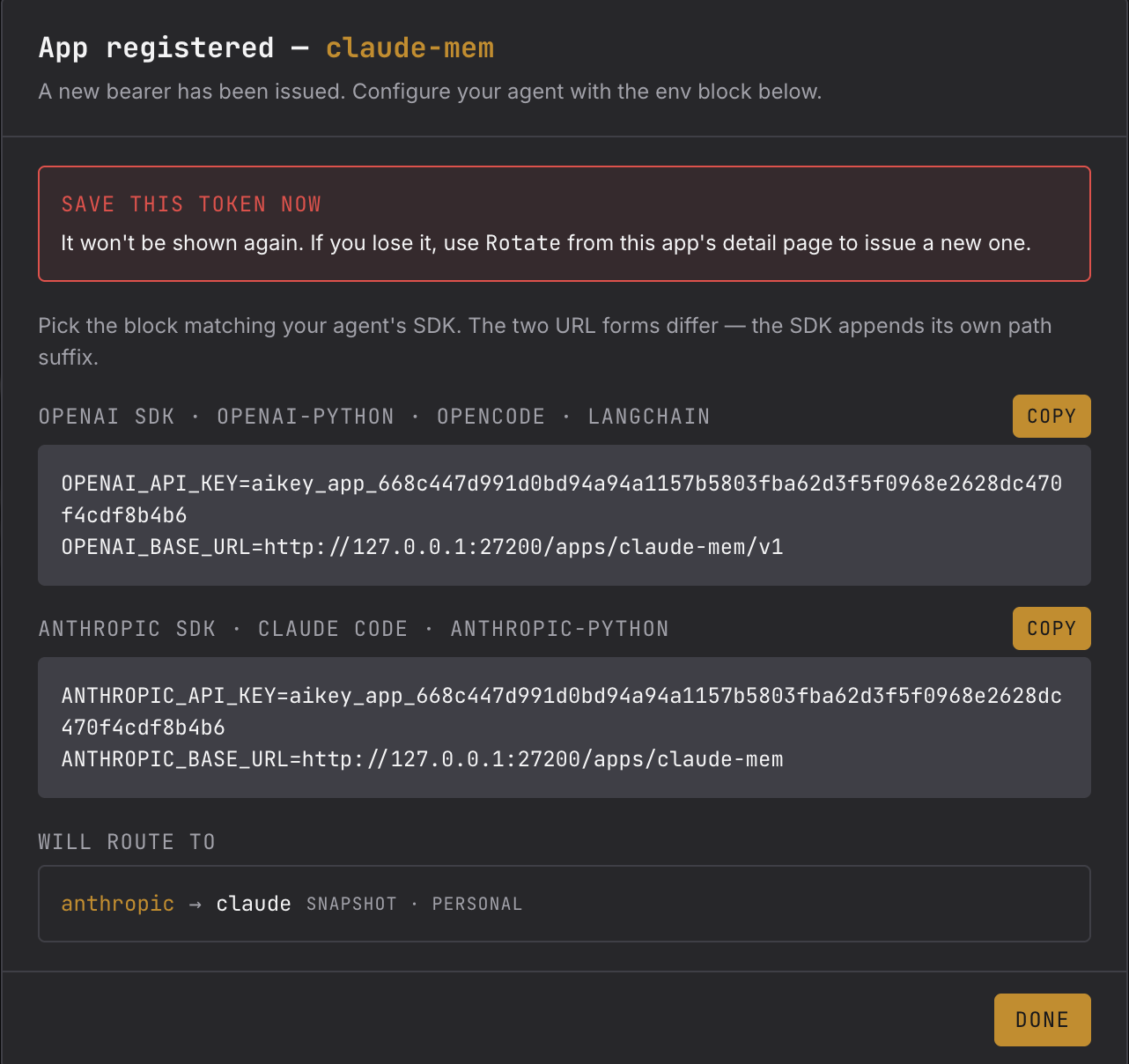
Agents like Claude Memory, custom automation scripts, and CI tasks all want your AI credentials — but handing over a raw key is hard to revoke and pools usage across consumers. AiKey issues each agent its own bearer token, isolates stats by app, and lets you Pause / Rotate / Revoke independently. Real credentials never leave the Vault.

App registered dialog showing per-SDK env block
Register an agent — get an isolated bearer + the matching SDK env block
Goal

Give every third-party agent / workflow an isolated, revocable, observable token. Real credentials stay locked.

Pain

Real keys handed to third-party agents are hard to claw back if leaked; shared keys hide who burned what; you can't pause one agent without disturbing the others.

AiKey solution

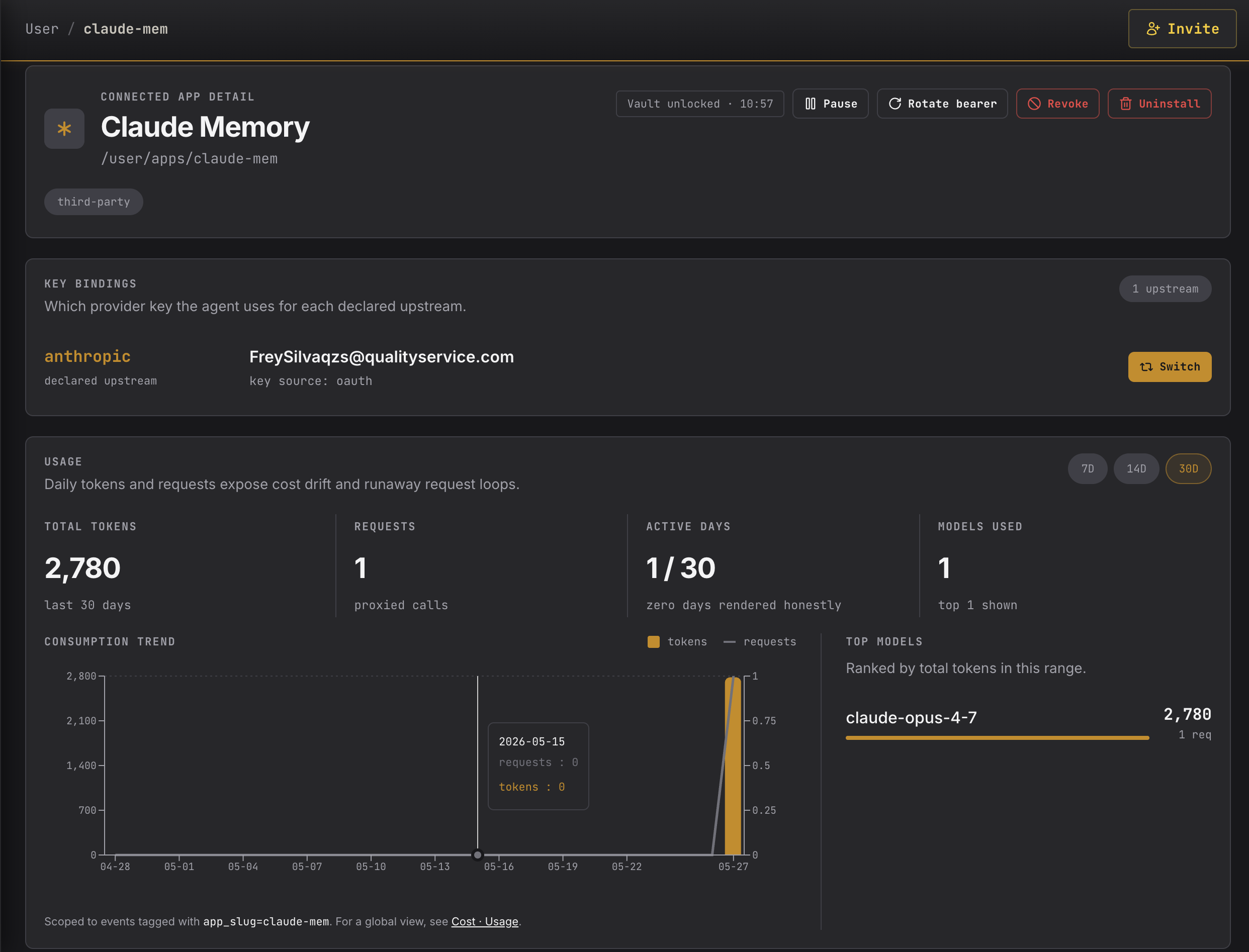
Each agent register yields an isolated bearer + base URL; per-app usage isolation; one-click Pause / Rotate / Revoke / Switch upstream key.

Connected app detail page — Pause/Rotate/Revoke + key bindings + per-app usage chart
Connected App detail — Pause / Rotate / Switch upstream + per-app usage trend
Outcome

Real credentials never leave the Vault; each agent's usage / models / trends are independently observable; revocation is instant and isolated; upstream key swaps are hot — no agent restart required.

Read about third-party AI clients
CASE 04 · REMOTE TEAM

A 5-person remote team, served by one key set

Once your team passes 3-5 people, scattered credentials, reconciliation gaps, and stale keys after off-boarding become daily pain. AiKey's enterprise edition keeps provider accounts on the server side and hands each developer a revocable Virtual Key — the real credential never leaves the admin.

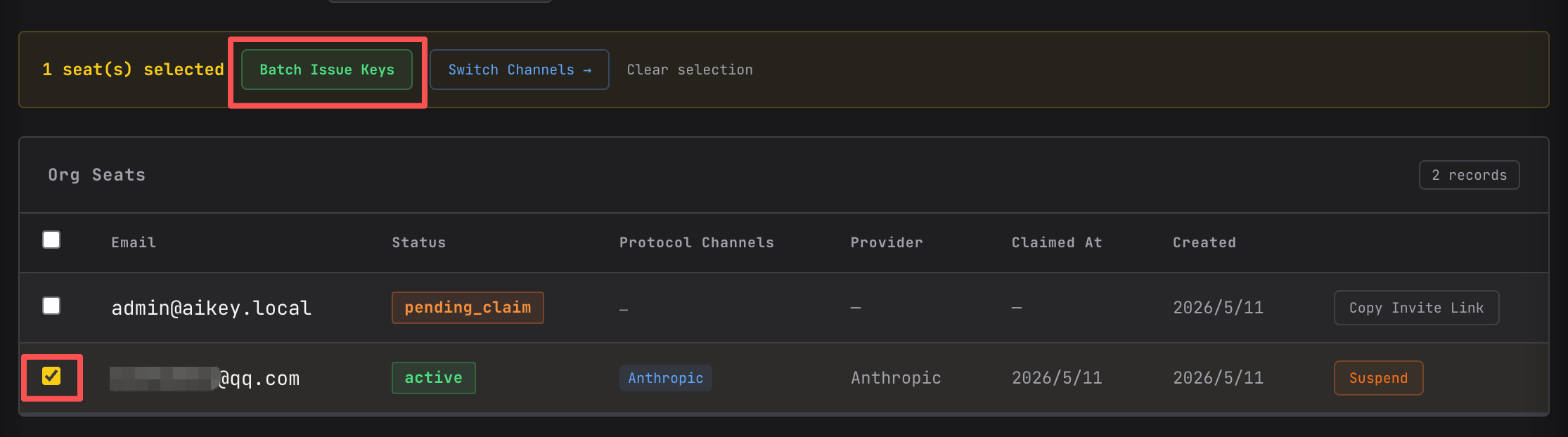
Bulk issue Virtual Keys to team members
Admin bulk-issues Virtual Keys to seats in one go
Goal

Manage Claude / Codex / etc. credentials centrally; track usage and cost per person and per provider.

Pain

Each teammate stores their own keys (easy to leak); off-boarding leaves stale keys; reconciliation at month-end is manual; cost can't be split per person or project.

AiKey solution

Server-side Provider Account pool; admin issues a VK per seat; developer runs aikey login to join transparently; server-side usage aggregation.

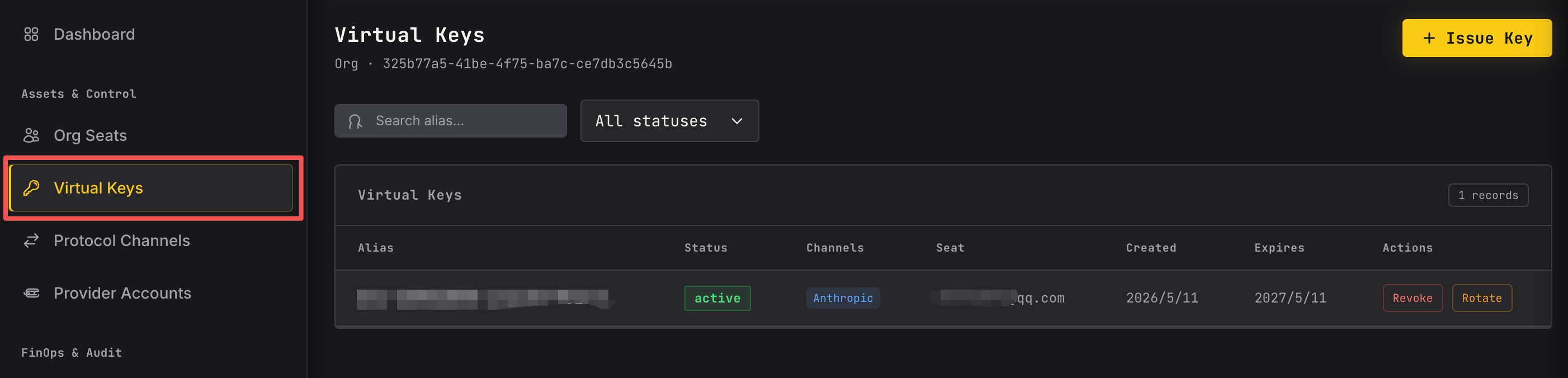
Issued Virtual Keys list with owner attribution
Issued VK list — traceable per seat, instantly revocable
Outcome

Real credentials never leave the admin; per-person audit; seats are revoked in seconds; monthly cost is auto-allocated per person / provider.

See the full enterprise docs

Your scenario above?

The cases above cover the bulk of solo and small-team usage. Full coverage and getting-started flow live in the quickstart.